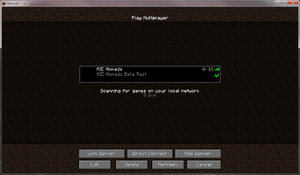
Nomads:Minecraft Server
Jump to navigation
Jump to search
The AIE Nomads run a private Minecraft server using a custom modpack. The modpack is available through Curse.
Server Details
| Server | minecraft.aie-guild.org |
| Port | 25565 (default) |
| Mod Pack | AIE Nomads |
| Operators | StiggNJ, Lotwook_AIE, jehdai |
Whitelisting
Launcher
We use the Curse Voice Beta client (a.k.a. Curse v6 found here).
Use the following step-by-step procedure to install and run the modpack.
If you are not playing on a Windows PC, contact the operators and we'll help you get set up manually.
- Run the Curse Voice client.
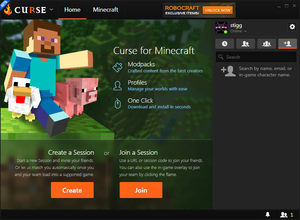
- Select the "Minecraft" tab.
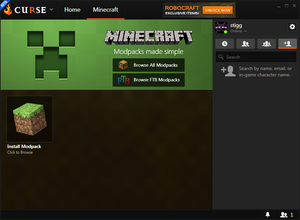
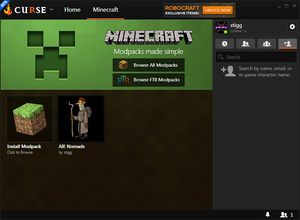
- Hover over the "Install Modpack" icon and select "Browser Modpacks".
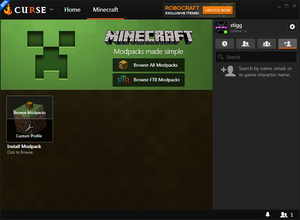
- Select the category "All" and enter "AIE" or "AIE Nomads" in the search expression box.
- Click on the "AIE Nomads" modpack.
- Hover over the AIE Nomad logo and click on "Install".
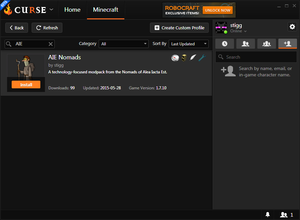
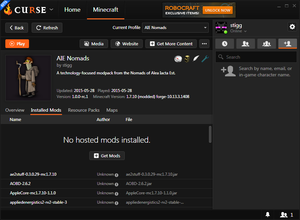
- Once the download and install is finished, you have some options.
- If you want to jump right in, click on "Play".
- If you go pack to the profile listing during the install, you can hover over the AIE Nomad logo and click "Play".
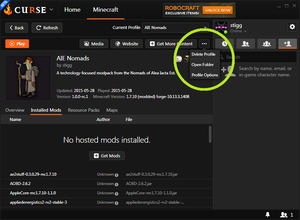
- If you want to install additional client mods (like Fastcraft or OptiFine), click the "..." additional actions dropdown and select "open Folder". Copy any additional mods into the "mods" subdirectory.
- If you want to jump right in, click on "Play".
- Once the Minecraft Launcher starts, click "Play".
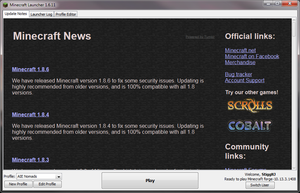
- Wait for the mods to load, then click on "Multiplayer".
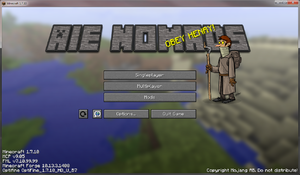
- Click on "Add Server".
- Enter any name for "Server Name".
- Enter 192.99.44.71:27676 for the "Server Address".
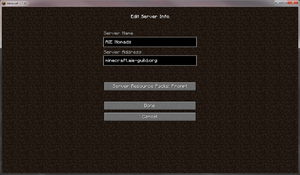
- Click on "Done".
- Highlight the server you just added and click "Join Server".